



How to Use API Access
Create and secure an API credential, authenticate with a Bearer token, and manage supported VPS and VPN services through the MAXKO API.
MAXKO Hosting API Access lets you securely use supported account, VPS, and VPN operations from your own applications, scripts, or integrations.
Step 1 - Create an API Credential
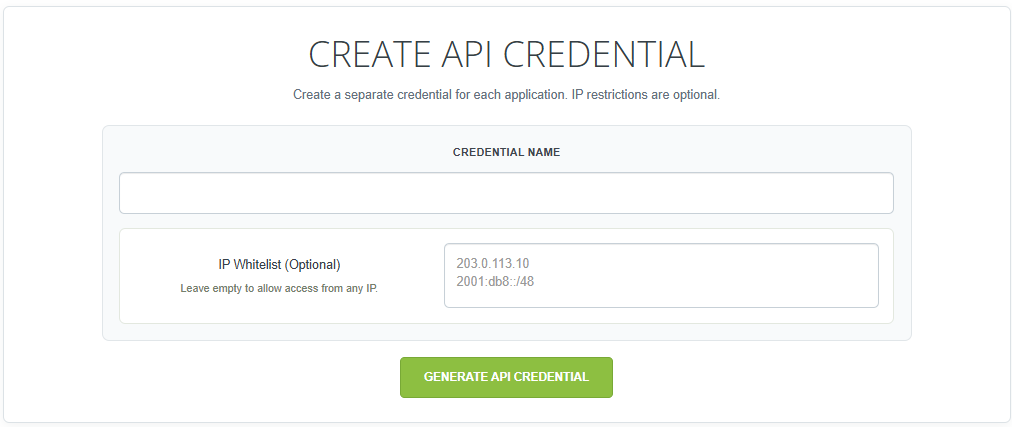
Log in to the MAXKO Hosting client panel, open API Access, and create a new API credential. Enter a recognizable name so you can identify where the credential is used.
- The IP Whitelist is optional.
- Leave it empty to allow API access from any IP address.
- Enter an individual IP address or a CIDR range when access should be restricted.
Step 2 - Copy the API Key
After the credential is generated, its API key is displayed. The full API key is displayed only once. Copy it immediately and store it securely before leaving the page.

Step 3 - Open the API Documentation
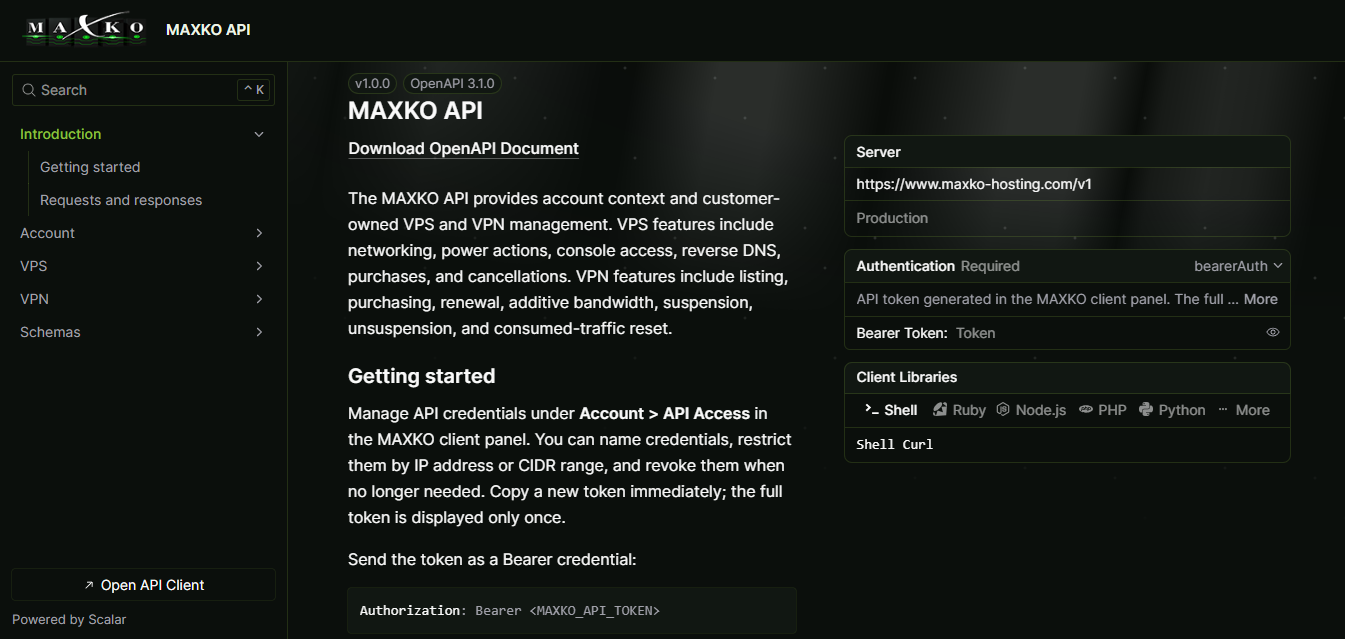
The MAXKO API Documentation contains the available endpoints, authentication information, request parameters, and examples. API requests authenticate with a Bearer token:
Authorization: Bearer YOUR_API_KEY
Step 4 - VPS API Operations
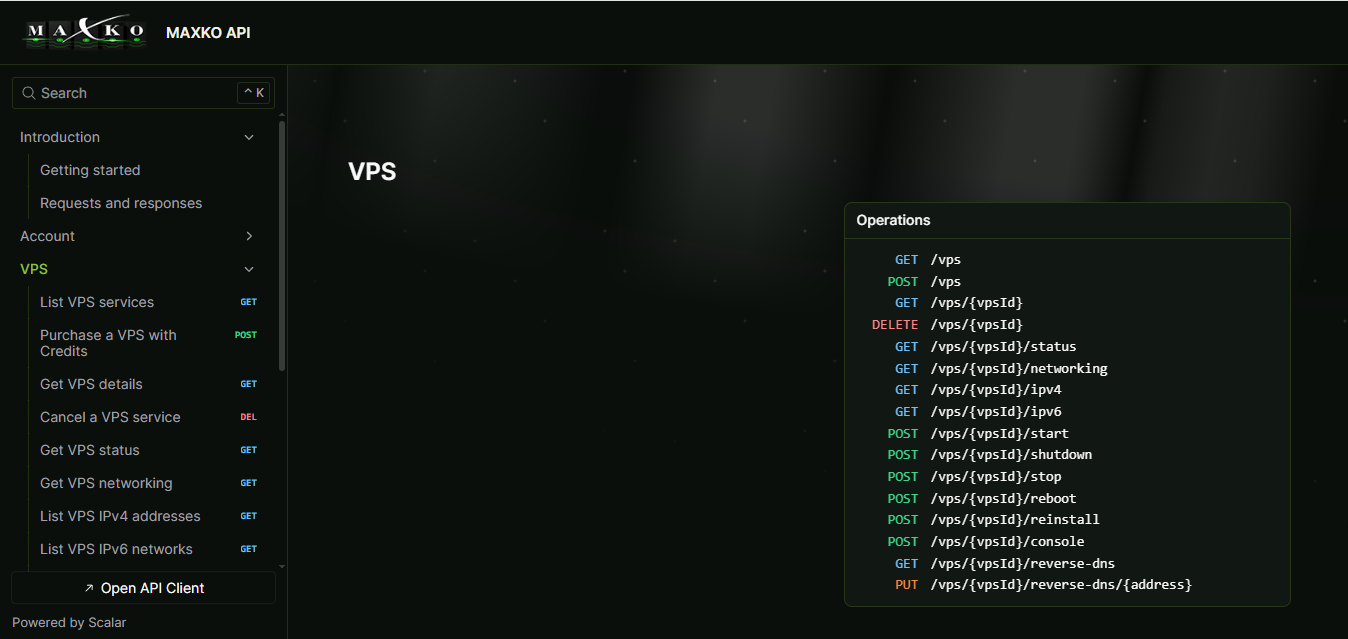
The VPS section of the API Documentation contains the currently supported VPS operations. Examples include:
- Listing VPS services
- Purchasing a VPS using Account Credits
- Viewing VPS details and status
- Viewing networking, IPv4, and IPv6 information
- Starting, shutting down, stopping, and rebooting a VPS
- Reinstalling a VPS
- Using console access
- Managing reverse DNS
- Cancelling a VPS
Refer to the API Documentation for the exact current endpoint definitions and request parameters.
Step 5 - VPN API Operations
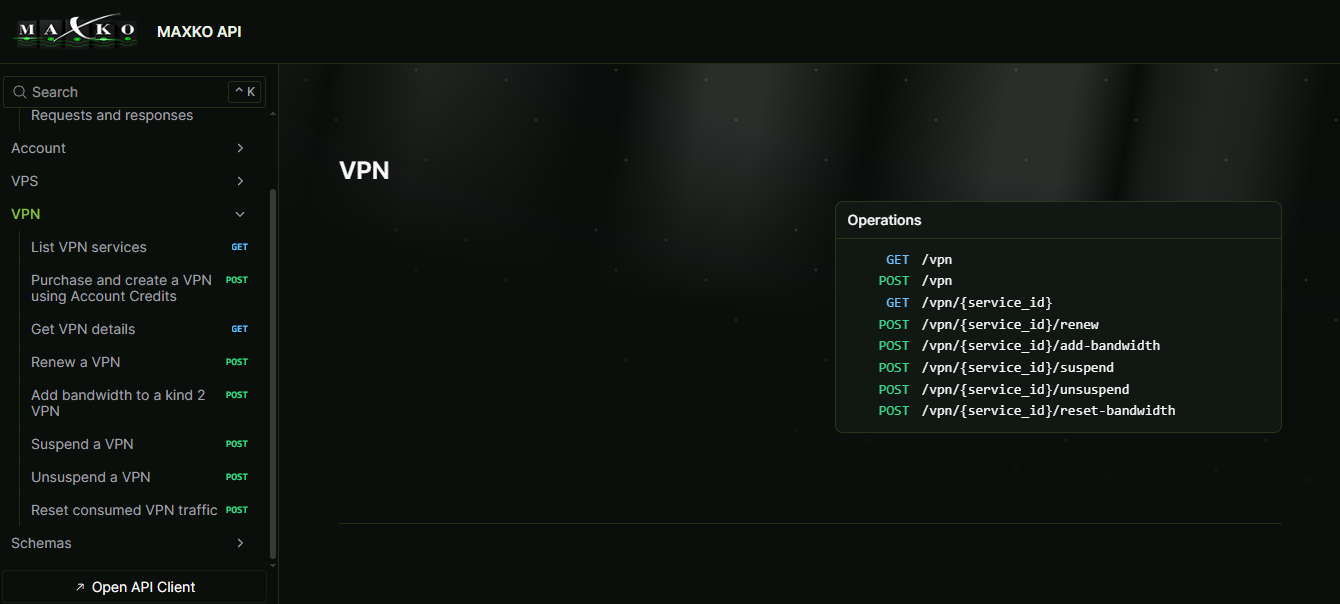
Supported VPN services can also be managed through the API. Examples include:
- Listing VPN services
- Purchasing a VPN using Account Credits
- Viewing VPN details
- Renewing a VPN
- Adding bandwidth
- Suspending and unsuspending a VPN
- Resetting consumed VPN traffic where supported
Refer to the API Documentation for the exact current endpoint definitions and request parameters.
Step 6 — Revoke an API Credential
Return to API Access in the client panel to view your credentials. Revoke any credential that is no longer needed or may have been exposed. Once revoked, it can no longer authenticate API requests.

Keep Your API Credentials Secure
- Treat API credentials like passwords.
- Never publish API keys in public repositories.
- Never expose API keys in frontend or client-side JavaScript.
- Use IP restrictions where appropriate.
- Use separate credentials for separate applications where practical.
- Revoke credentials that are no longer needed or may have been compromised.